What it actually is
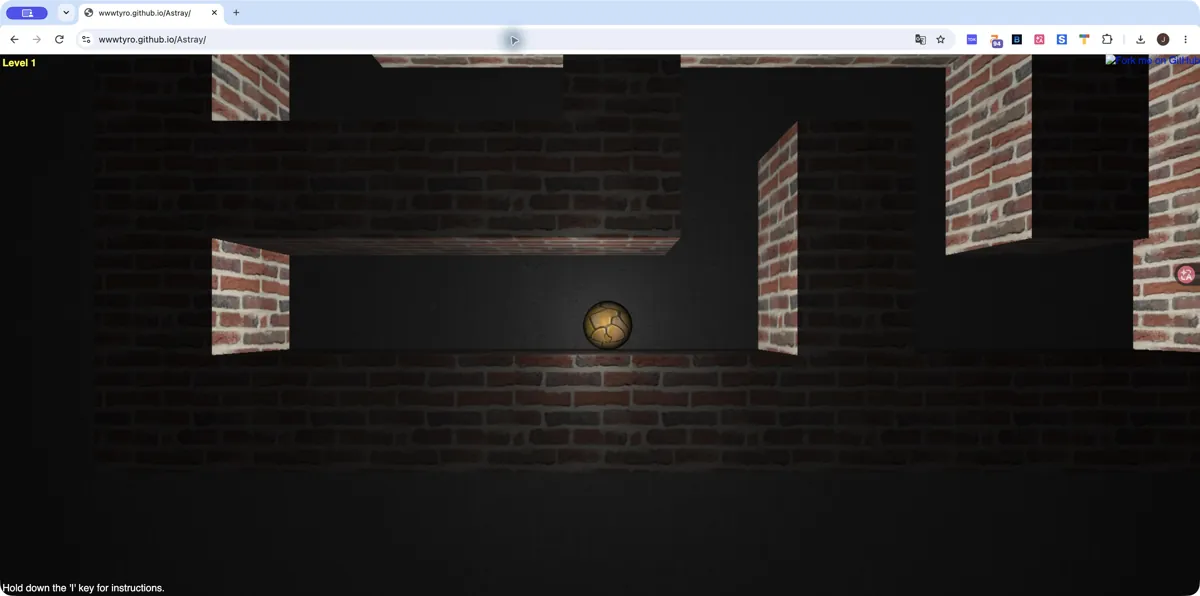
Astray pairs a visible maze with a physics-driven ball. The author identifies Three.js and Box2dWeb as its graphics and physics foundations. Your task is to find the maze exit rather than collect items or defeat enemies. A desktop check on October 27, 2026 reached the rendered Level 1 maze and accepted keyboard input; this does not establish completion of later levels or phone compatibility.
How to play Astray
- Open the original Astray page and wait for Level 1 to render.
- Use short arrow-key presses to move through the maze.
- Hold I when you need the control reminder, then look for the exit.
Tips for your first session
- Use short movements near corners so the ball does not overshoot.
- If only the level label appears, check hardware acceleration and WebGL before repeatedly refreshing.
Controls
Arrow keys move the ball. The project also documents H, J, K and L controls. Hold I for the instructions.
The legitimate way to play
Use the original GitHub Pages build linked from wwwtyro’s repository. Its code is released under the Unlicense; the guide links to the author’s distribution instead of rehosting the game.
If Astray won't load
- Allow JavaScript and give the project time to load on a stable connection. Open the original site in its own tab, then reload once if the interface does not appear.
- Check the requirements above for Astray. Graphics-based games can require hardware acceleration; text and number puzzles do not share the same graphics requirements as engine ports.
- Check the project’s save options before clearing site data. Private browsing and automatic storage cleanup can remove locally stored progress. Follow your school or workplace rules if a managed network blocks the site.
Chromebook, phone and tablet
Use a desktop or Chromebook with a physical keyboard and working WebGL. Mobile touch input was not tested. Managed devices may restrict graphics acceleration or access to GitHub Pages.
Other browser projects to explore
 Startup screen
 Startup screen
Cookie Clicker
Desktop · Orteil / DashNet
What you need: JavaScript enabled · Browser storage for local saves
Sources and version checks
Sources checked:
Questions
Does Astray need WebAssembly?
The author describes a JavaScript/WebGL implementation using Three.js and Box2dWeb. No separate game-file import is part of the linked build.
Can I use a phone?
This review covers desktop keyboard input. We have not verified a touch-control version, so a keyboard-equipped device is recommended.
Is this part of the original Radiant Optimizer post?
No. This is an additional browser-game recommendation from TabArcade. It is a separate third-party project and does not require Radiant Optimizer.